Watching a run live
Purpose: follow a run while it executes and understand what each part of the Current Run and Live Output panels means.
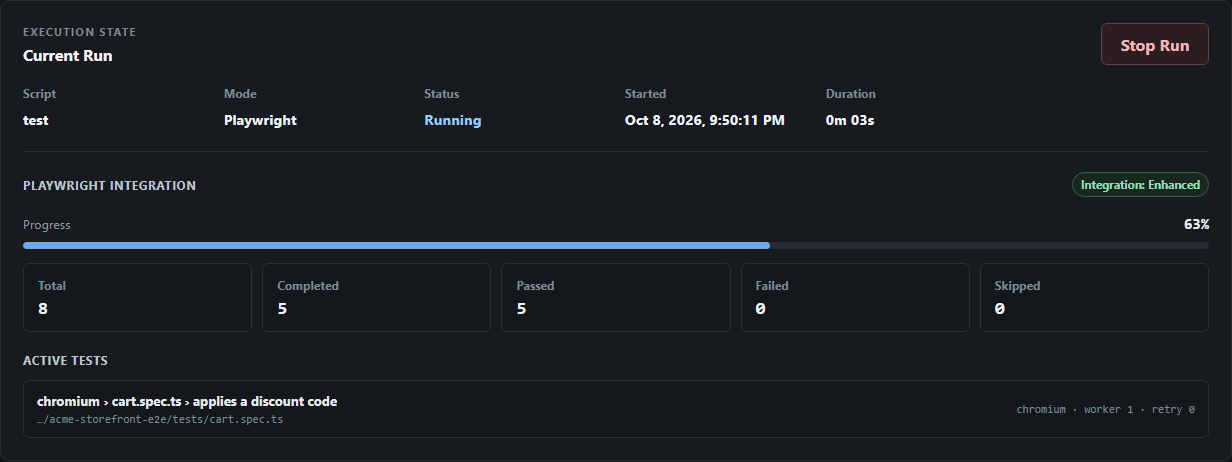
Current Run
| Field | Meaning |
|---|---|
| Script | The package script being run. |
| Mode | Playwright or Generic. See execution modes. |
| Status | Starting…, Running, Stopping, then Passed, Failed or Stopped. |
| Started, Duration | Start time and elapsed time. |
| Exit code | The process exit code once the run ends. |
Playwright integration
For Playwright-aware runs, the Playwright Integration section shows how much structured information is available:
| Badge | What you see |
|---|---|
| Integration: Enhanced | Progress bar, Total, Completed, Passed, Failed and Skipped counters, and Active tests with project, file, worker and retry. Requires Playwright 1.63+. |
| Integration: Basic | Planned tests, logs, status, duration and Stop Run. A note explains why structured progress is not available, for example Automatic structured progress requires Playwright 1.63 or newer. If Enhanced was expected but Watcher's reporter could not be resolved from your project, a Basic fallback message gives the reason and the install command. |
| Integration needs attention | Watcher's reporter appears to be configured, but the run did not provide a complete, valid event stream. |
For Generic runs, the counters stay empty and the panel notes that structured progress is unavailable for generic package scripts.
Enhanced mode only becomes active once Watcher actually receives events from its reporter during the run. Finding the reporter installed is not enough by itself. If reporter delivery fails partway through, Watcher reports the observation as incomplete; the Playwright result itself is unaffected.
Learn more in Playwright integration.
Live Output
Live Output lists each line of the run's stdout and stderr with a timestamp and stream label.
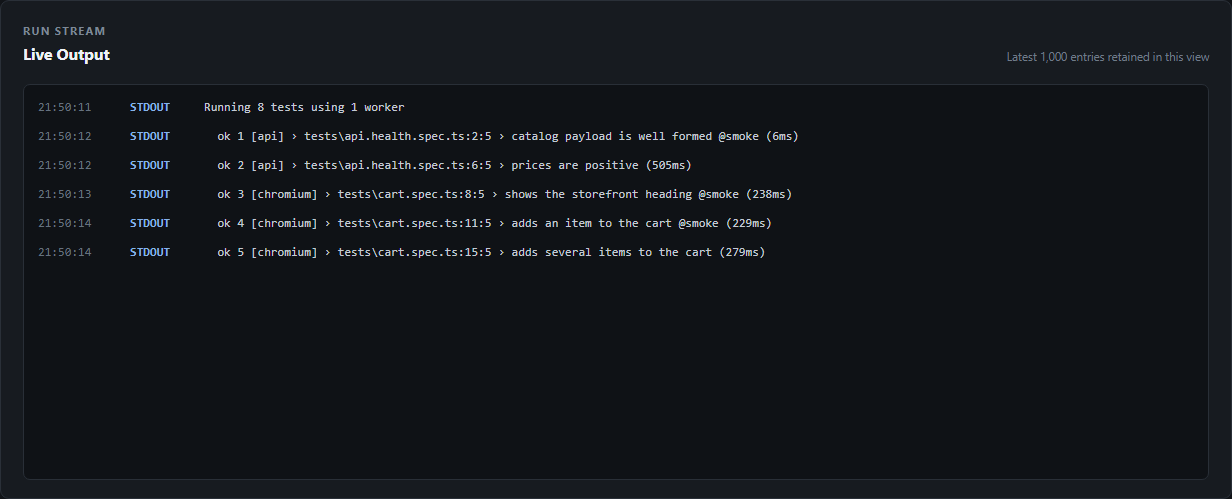
- The view keeps the latest 1,000 entries; the server retains the latest 500 for reconnecting browsers.
- A single line longer than 64 KiB is truncated and marked
[Watcher: log line truncated]. - Logs are kept in memory only. They are not saved to run history.
- Live delivery is best-effort. If your browser falls behind or reconnects, it resynchronizes to the current state, and older lines may be missed.
Multiple browser tabs and restarts
You can open the dashboard in more than one tab; each receives the same live state. If Watcher restarts, open tabs reconnect automatically and reset their cached run state.